
Due Diligence
Effortlessly manage your Client Due Diligence and Enhanced Due Diligence during a sale.
Each sale can have multiple assessments of the same question set, and you can upload PDFs or scans when diligence was done on paper.
Assessment records are permanently attached to the sale, so they can be reviewed later without losing the history of what was completed (or not) and when.
In development: Proofenance EDD Rules Engine will soon automatically escalate a sale to require Enhanced Due Diligence when it is needed.
Assessments on the sale
The Due Diligence tab lists active question sets available for this sale, with any completed assessments visible. Staged assessments are quickly accessible for review or re-assessment.
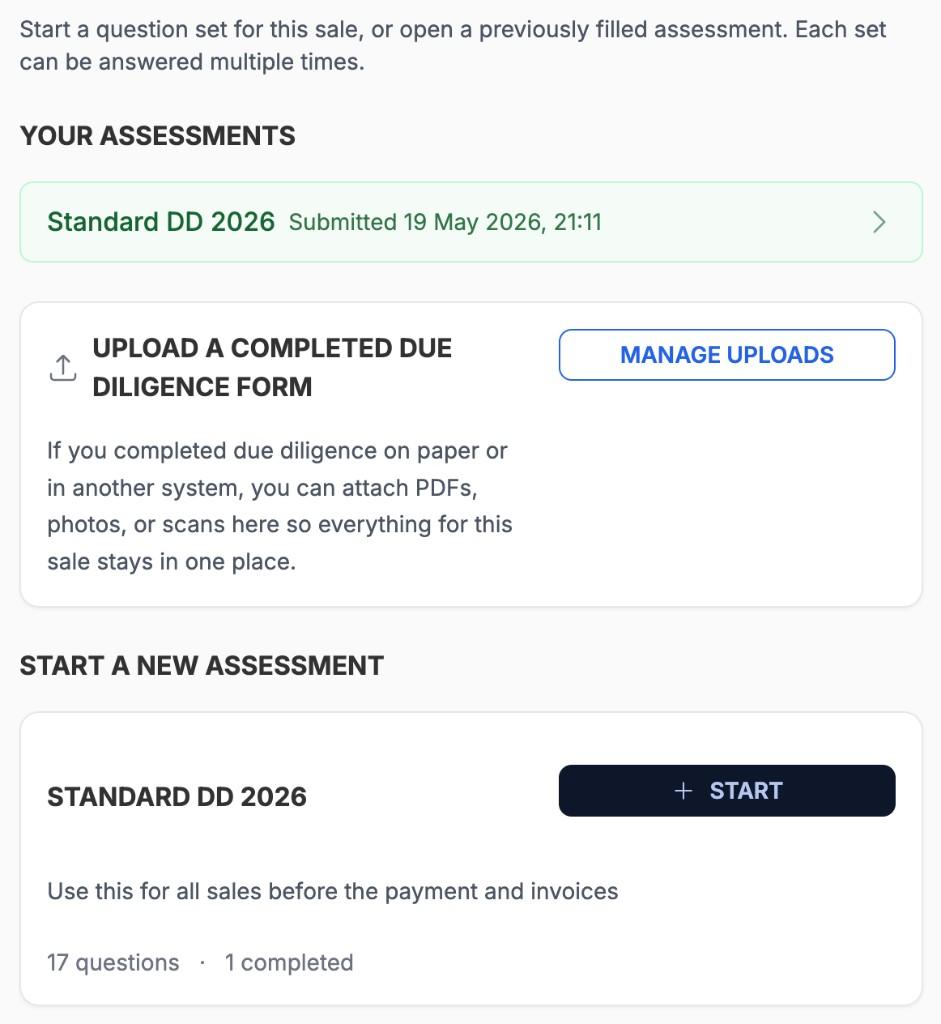
Your assessments
Completed assessments and uploads appear here.
Manage uploads
Rapidly upload paper assessments for storage with this sale.
Start
Create a new assessment of this question set.
Your assessments
Completed assessments and uploads appear here.
Manage uploads
Rapidly upload paper assessments for storage with this sale.
Start
Create a new assessment of this question set.
Start
Create a new assessment of this question set.
Completing an assessment
Start an assessment of a question set from the sale's Due Diligence tab. Questions are designed to be quick to answer with simple Yes or No. Questions can conditionally require extra detail when needed.
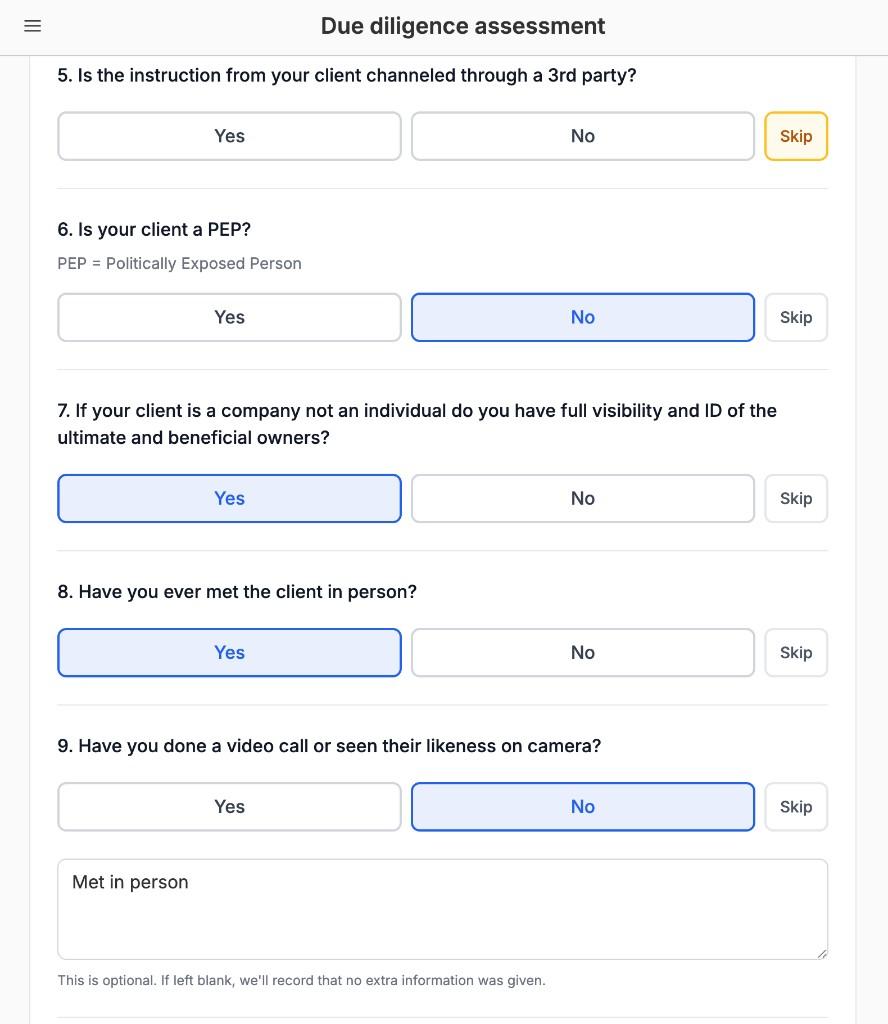
Skip
Use Skip when a question does not apply to this sale.
Easy answers
Simply click/tap Yes or No to answer the question.
Helper text
Easily add helper text to questions to provide additional context or guidance.
Optional detail
Specific questions can require extra detail depending on the answer.
Easy answers
Simply click/tap Yes or No to answer the question.
Skip
Use Skip when a question does not apply to this sale.
Helper text
Easily add helper text to questions to provide additional context or guidance.
Helper text
Easily add helper text to questions to provide additional context or guidance.
Optional detail
Specific questions can require extra detail depending on the answer.
Optional detail
Specific questions can require extra detail depending on the answer.
Building question sets
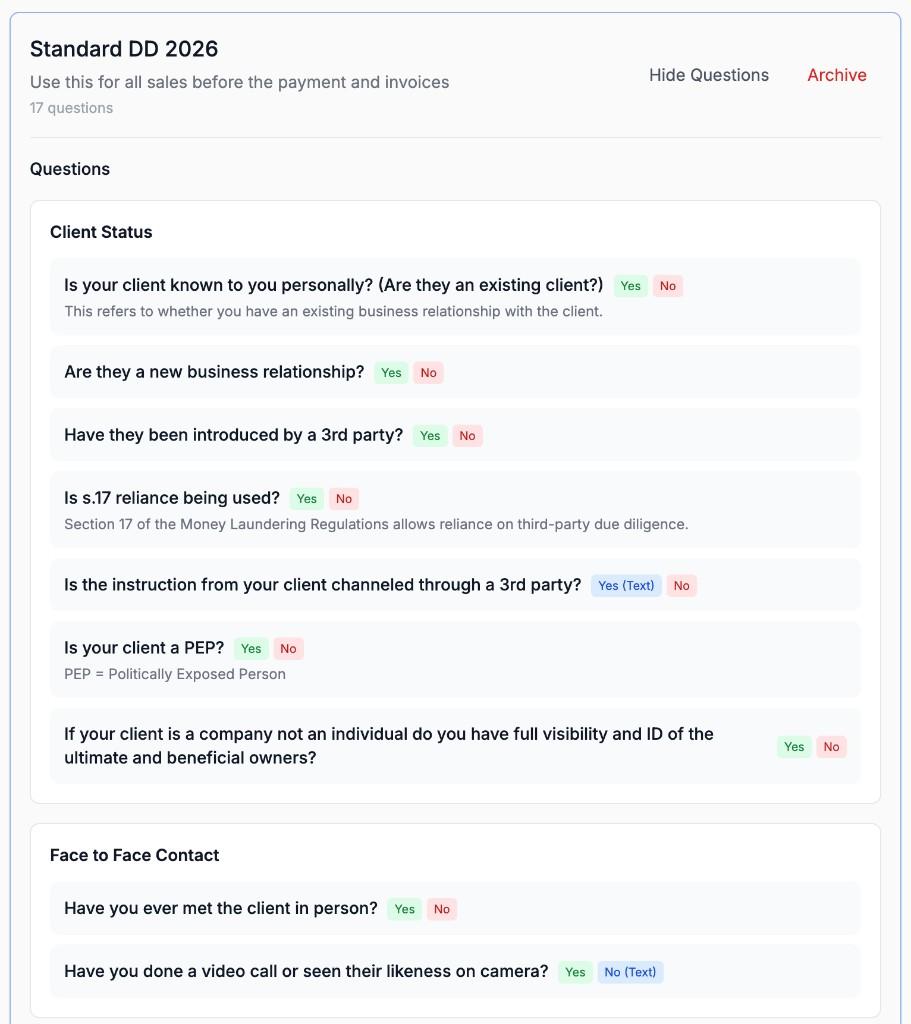
Create a new question set from the library by naming it and adding a description. Questions are grouped into sections which can be from the Proofenance standard library or your own custom sections.
Name and description
Label the set and explain when it should be used.
Categories
Questions are grouped into sections for easy navigation.
Answer types
The available answer types: Yes/No, Yes (Text), or No (Text).
Helper text
Add helper text to questions to provide additional context or guidance.
Archive
Existing assessments stay on the sale.
Name and description
Label the set and explain when it should be used.
Archive
Existing assessments stay on the sale.
Categories
Questions are grouped into sections for easy navigation.
Categories
Questions are grouped into sections for easy navigation.
Answer types
The available answer types: Yes/No, Yes (Text), or No (Text).
Helper text
Add helper text to questions to provide additional context or guidance.
The Proofenance Due Diligence library
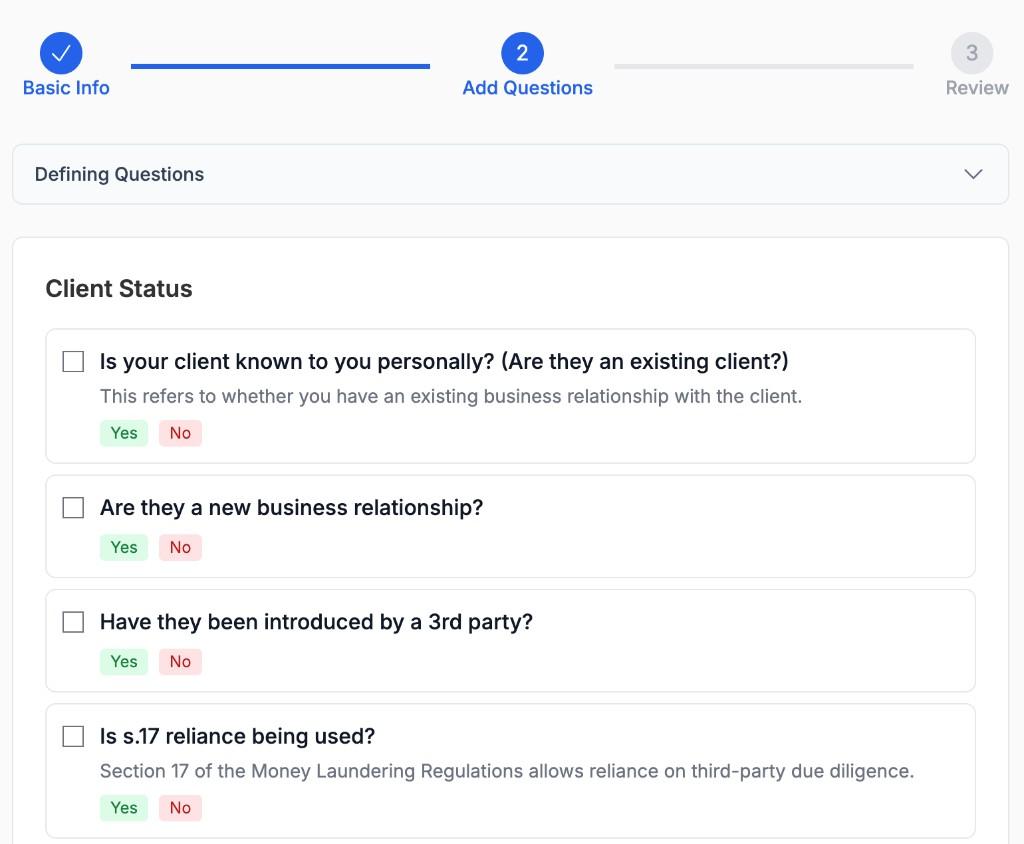
Quickly create question sets from Proofenance's standard library by selecting the questions you need. Add your own custom questions to the library when your policy goes beyond the defaults.
Select from the library
Tick questions from Proofenance's curated library, grouped by category.
Select from the library
Tick questions from Proofenance's curated library, grouped by category.
Select from the library
Tick questions from Proofenance's curated library, grouped by category.