
Invoice & Payment
Invoices, payment sessions, tranches, and settlement tied to the verified sale.
Approval before payment
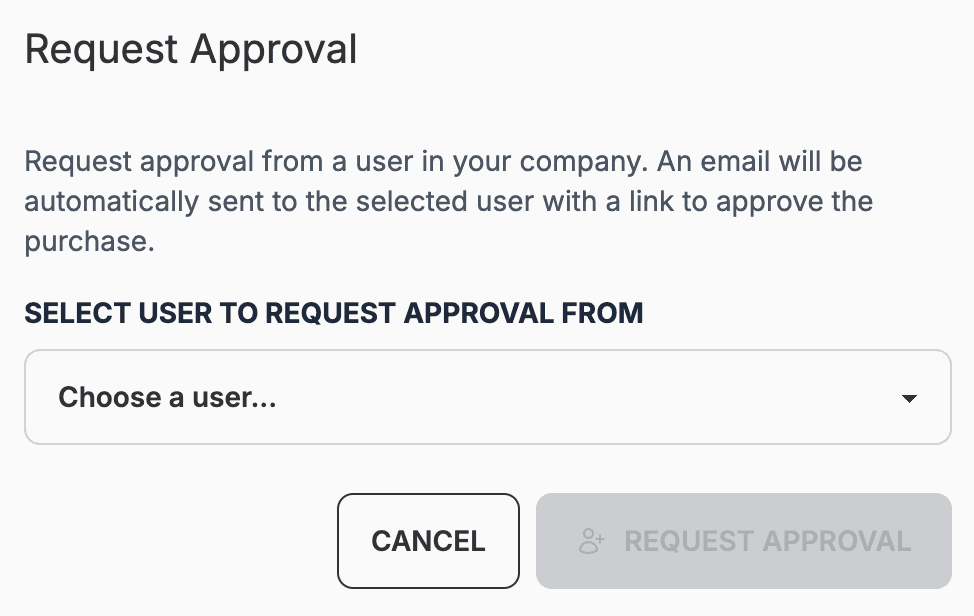
Before invoices or payment sessions go out, staff can approve the sale themselves or request approval from another user in the company with a specified role like your MLRO. Rules can be configured to require approval from a specific role in cases like Enhanced Due Diligence was required.
Request approval
Choose a colleague to approve the sale. Proofenance emails them automatically with a link to quickly view all the relevant details required to approve the sale.
Select approver
List of your available approvers.
Select approver
List of your available approvers.
Select approver
List of your available approvers.
Payment stages and tranches
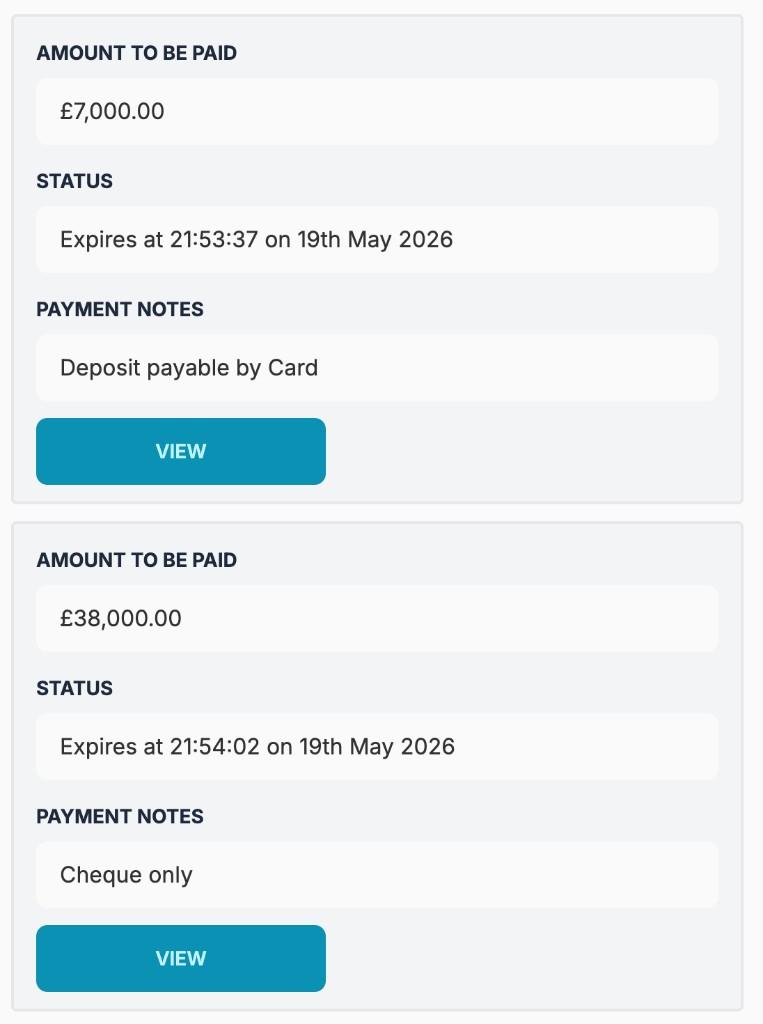
Split the sale price into payment sessions with custom amounts, deposit, balance, instalments, or any schedule you need. Each stage carries its own amount, expiry, payment notes, and paid status to quickly track what is outstanding on the Payment tab.
Stages tracked on the Payment tab
Quickly track multiple payments for a single sale. Each stage carries its own amount, expiry, payment notes, and paid status. Invoices can be uploaded and attached to each stage as a pdf - this will be presented to the client at payment time.
Status and expiry
Email your client a payment link and track their interaction.
Status and expiry
Email your client a payment link and track their interaction.
Status and expiry
Email your client a payment link and track their interaction.