
Sale Details
Capture the piece, price, and references - the starting point for your sale.
Identifiers and commercial context
Start with some basic information to help you identify the sale.
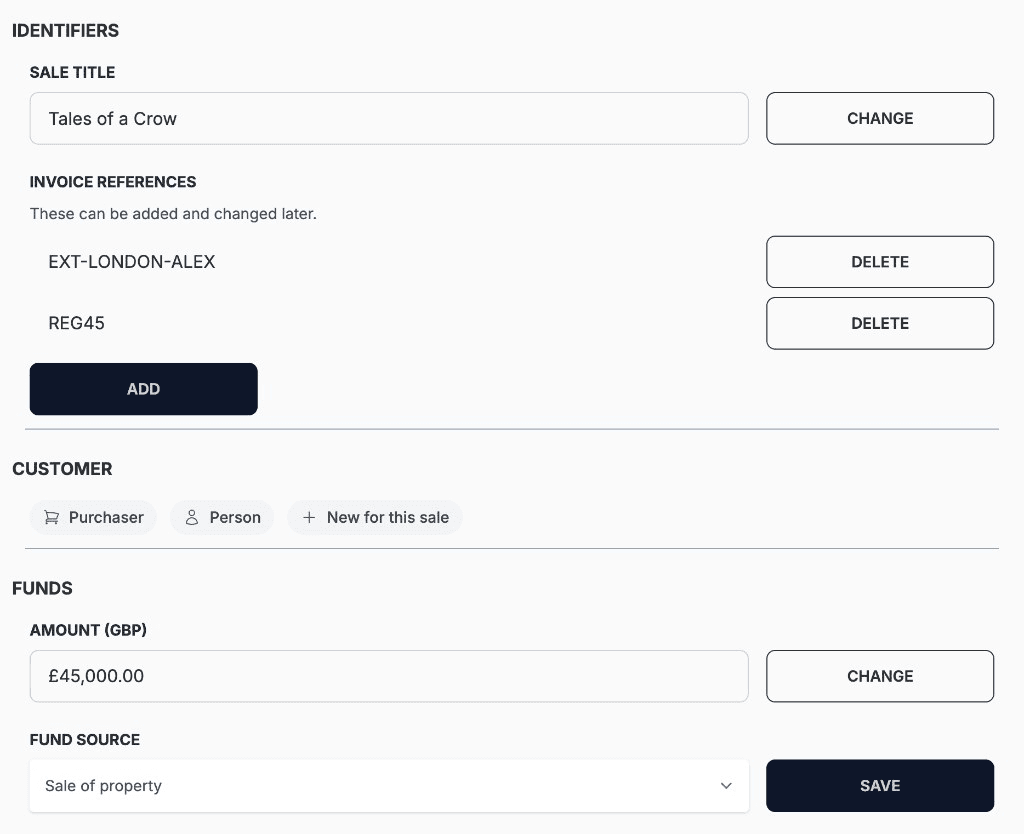
Sale title
Internal name for the work on this purchase.
Invoice references
External or registry references tied to the sale.
Customer
Flags about your customer - for example, whether they are new for this sale.
Amount
Agreed price for the sale.
Fund source
Your client's declared source of funds for the transaction.
Sale title
Internal name for the work on this purchase.
Invoice references
External or registry references tied to the sale.
Customer
Flags about your customer - for example, whether they are new for this sale.
Customer
Flags about your customer - for example, whether they are new for this sale.
Fund source
Your client's declared source of funds for the transaction.
Amount
Agreed price for the sale.
Documents and notes
Add and manage any provenance or other supporting files and plain text notes for this sale.
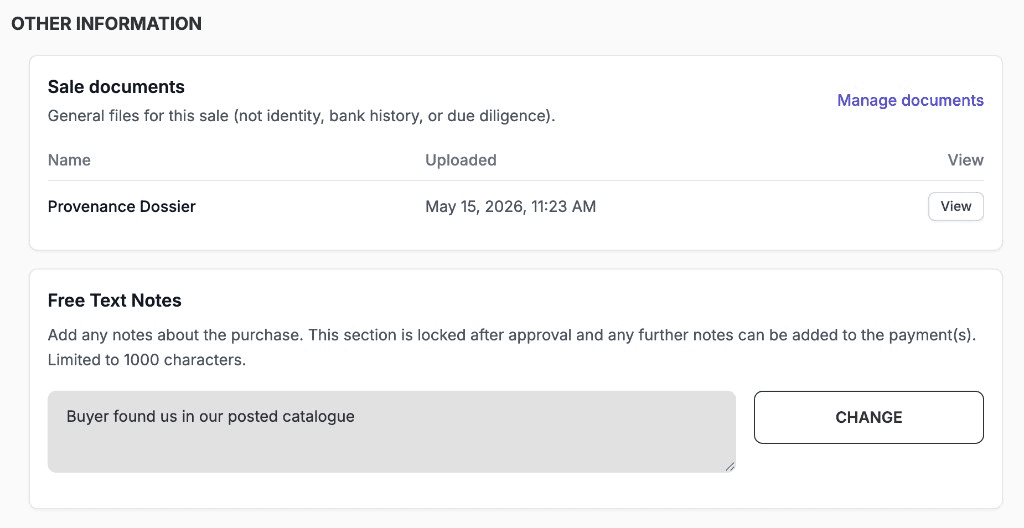
Documents on file
Quick list of sale documents with upload time and view link.
Free-text notes
General notes; this can be locked for editing after the sale is approved.
Documents on file
Quick list of sale documents with upload time and view link.
Documents on file
Quick list of sale documents with upload time and view link.
Free-text notes
General notes; this can be locked for editing after the sale is approved.
Free-text notes
General notes; this can be locked for editing after the sale is approved.
Manage uploaded documents
Each file can be previewed, and optional notes can be added, and the display name can be set to how it appears in lists and reports.
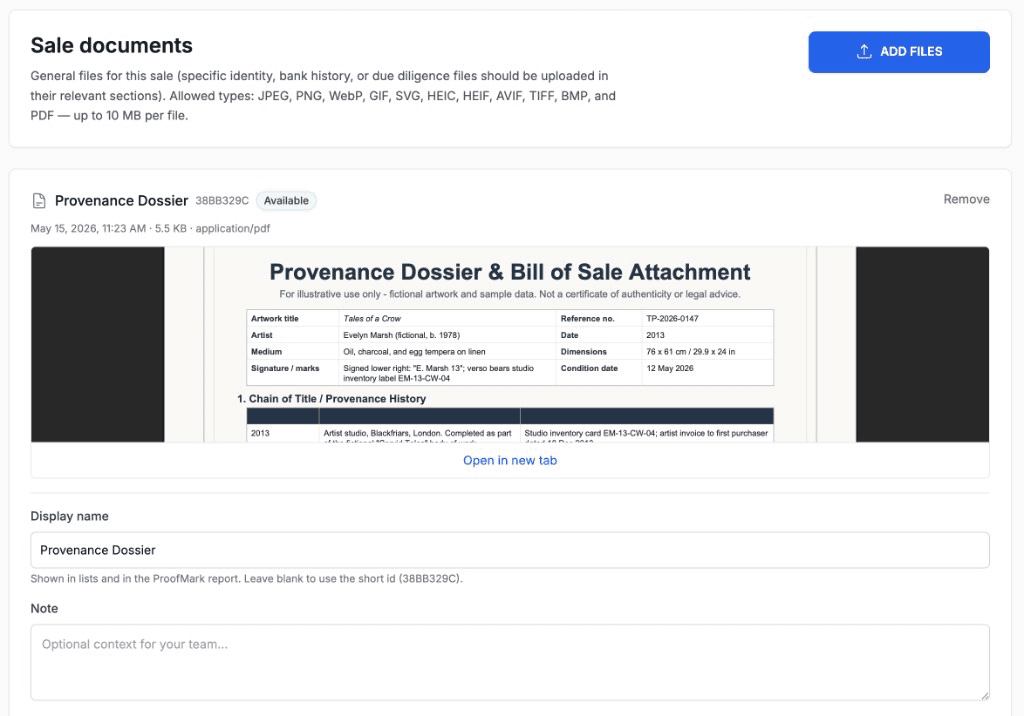
Sale documents
Any supporting files for the sale, for example, a provenance document.
Inline preview
Quickly view uploaded PDF and image files.
Display name & note
How the file appears in lists and reports; optional internal notes.
Sale documents
Any supporting files for the sale, for example, a provenance document.
Inline preview
Quickly view uploaded PDF and image files.
Display name & note
How the file appears in lists and reports; optional internal notes.
Display name & note
How the file appears in lists and reports; optional internal notes.